How to Organize Your Creative Workspace in the Age of AI
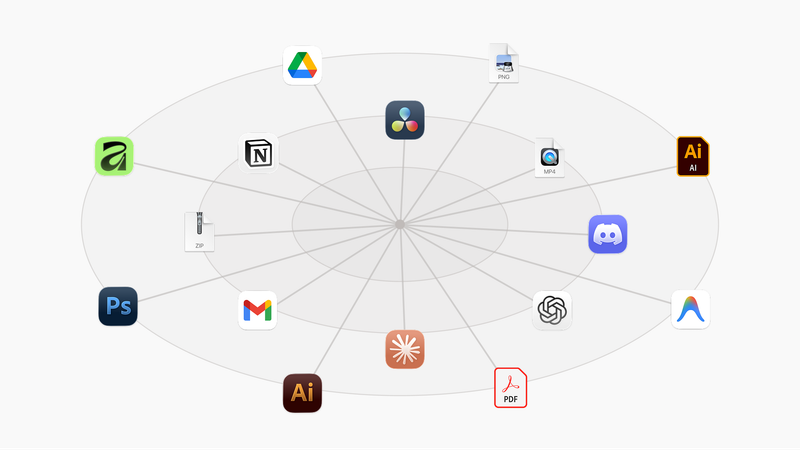
We’ve never had more power to create. We’ve also never had more places to lose our work.
The Problem
The way we create in the age of AI is growing with shiny new tools being introduced to your toolset every week. They accomplish tasks faster than we could before and our productivity is able to skyrocket with a lot of these tools. Though a problem starts emerging with this in mind: We are constantly experimenting with different tools, new digital workspaces, workflows. All of this shifting is making our creative process more and more inconsistent. How do you organize your space when you always create differently?
Our creative workflows are now in a constant state of shift and establishing a stable way to create and to collaborate is becoming much more complex than it was a few years ago.
This instability in our day to day workflow is creating new problems for accessing the right ressource, knowing how to execute properly, collaborating with others, versioning your projects and much more. Every creative project now requires a dozen tools for execution and all these new micro tools added to your process creates digital chaos. Your productivity might gain from all of this but your sanity in the long term will not.
Why It Happens
- Tools Are Exploding
Every month brings new AI micro tools, new platforms, new ways to create. They’re powerful individually, but they don’t work together. Each creates its own silo of files, conversations, and context. - Context Switching Is Killing You
Every time you switch tools, you lose momentum. It’s very easy to get distracted in the search for what you are exactly looking for. A quick search for a ChatGPT conversation can quickly turn lead you down a rabbit hole of endless distractions. - Nothing Is Centralized
Your actual work — your local files — sits at the center of everything. But your tools are everywhere else. No single view shows you: “Here’s everything for Project X, across all tools.” - Workflows Keep Shifting
Creative workflows change constantly. New AI tools emerge. Platforms evolve. Your organization system shouldn’t break with every change. You’re stuck manually updating folders, moving files, and trying to keep up.
The Solution
Stop hunting through scattered apps. Start anchoring everything directly to files/folders.
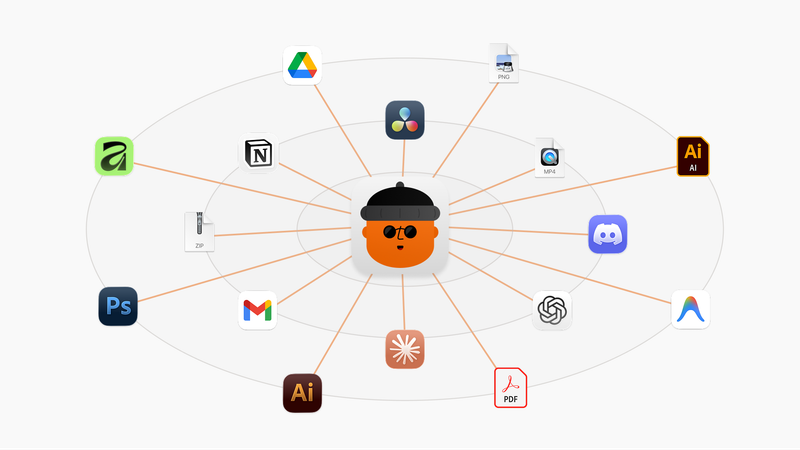
The problem isn’t how you organize within tools, it’s actually that your tools are scattered across an archipelago of browser tabs, apps, and platforms. You don’t need another workspace to manage. You need a single entry point that connects to all of them.
Your local file system is the only constant. It doesn’t get acquired. It doesn’t change its pricing model. It doesn’t deprecate features next quarter while you’re in the middle of a deadline. While AI tools explode and evolve, that folder on your desktop remains. Use it as the anchor.
Your local files are the foundation of your digital space. No matter the project there will always be a folder and files dedicated for it so use it as a common entry point to find all things related to your project. From quicklinks to ChatGPT conversations, Figma projects, bookmarks or even your local Illustrator files and more. Instead of switching between apps, you stay in one place. It’s your ‘masterdoc’. Your workspace becomes a command center, not a series of disconnected islands.
The strategy would be to make your local project folders the master index. Everything else — AI chats, design boards, references — links back to them.
That’s the gap I built Sorta to fill. Not to replace your file system, but to weaponize it. It treats your folder structure as the dashboard, auto-generating those index files so your local folders actually become that all-in-one space.
How Sorta Implements This
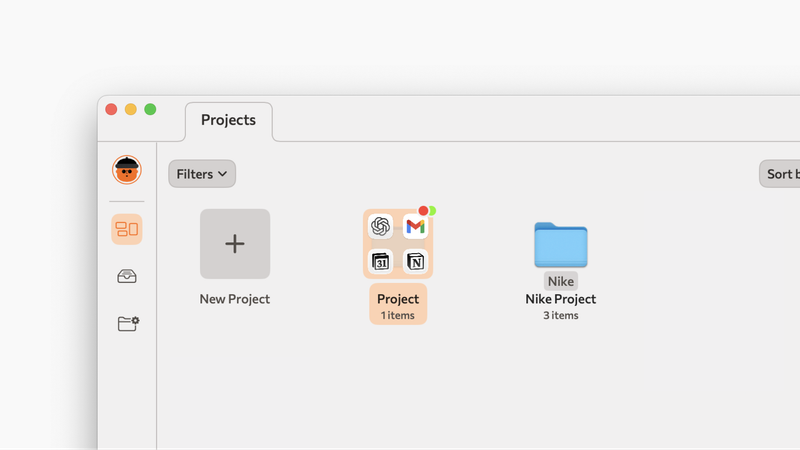
Sorta sits on top of your existing folders — no migration, no new cloud database. Each project displays local files alongside quicklinks to external tools — Figma, ChatGPT, Notion — automatically generating that index file so you never maintain it manually. Reusable folder structures handle sorting logic (videos here, renders there), removing the “where do I put this?” decision fatigue.
The result is archival clarity: close a project today, reopen it in a few years, and find the entire decision trail — the chat conversations related to it, the briefs and notes in Notion, the deliverables — all anchored to files you actually own, not locked in a deprecated AI tool’s history or buried in a workspace you can’t access anymore.
Sorta works on the dual benefit of introducing easy file organization (around a customizable folder structure configuration) and quick file access for smooth ongoing workflows and structured archiving of projects.
A Consistent Workflow Adapted for Shift
Creative tools will keep changing. AI will keep evolving. Your organization system shouldn’t break every time a new tool appears.
Sorta gives you a consistent framework: organize around your local files, connect everything to them, access everything from one place. The web tools you used, linked to your folders making it easier to find back the path you took on older projects.
Find sanity with consistency and structure for versioning, collaboration and archiving properly. Quick file access for creative workflows.